Instructions
Procreate
Compatibility depends on your device, operating system, and software version. Please make sure your application supports the file format before installation.
After downloading the file from your personal account, find the .zip file in the Recents or Downloads tab on your iPad/iPhone (some purchases will download directly as a .brushset file). After downloading the file from your personal account, we recommend saving a backup on your device or cloud storage. Each product can be downloaded up to a maximum of five (5) times for security reasons.
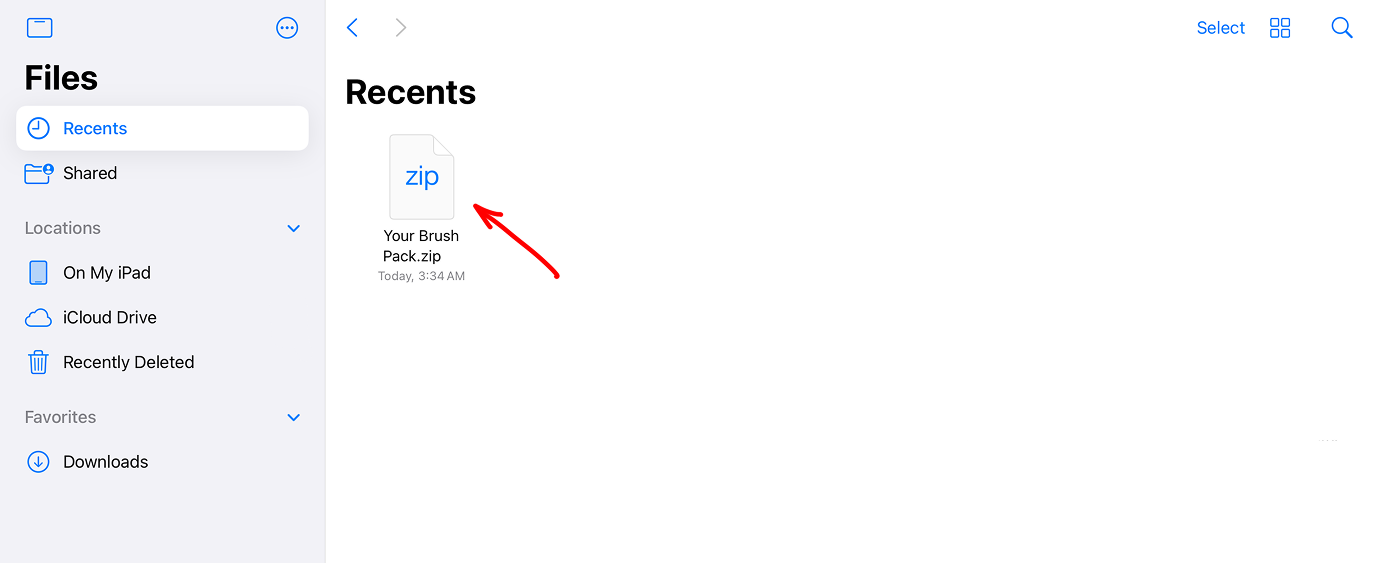
To unzip the file, simply tap on it. You will see a new folder
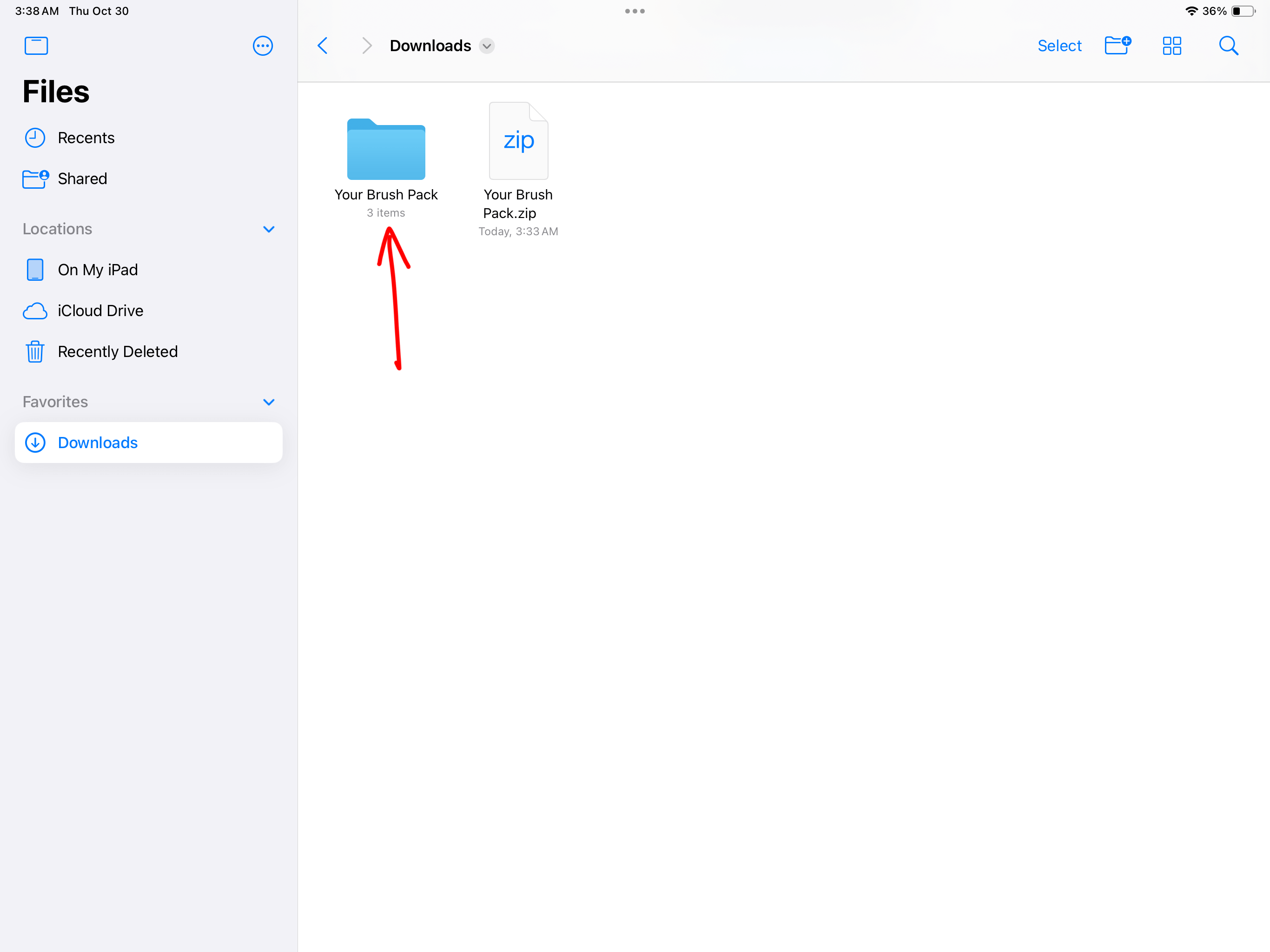
Depending on the product you purchased, the folder may contain brushes in .brushset format, color palettes in .swatches format, and canvases in .procreate format.
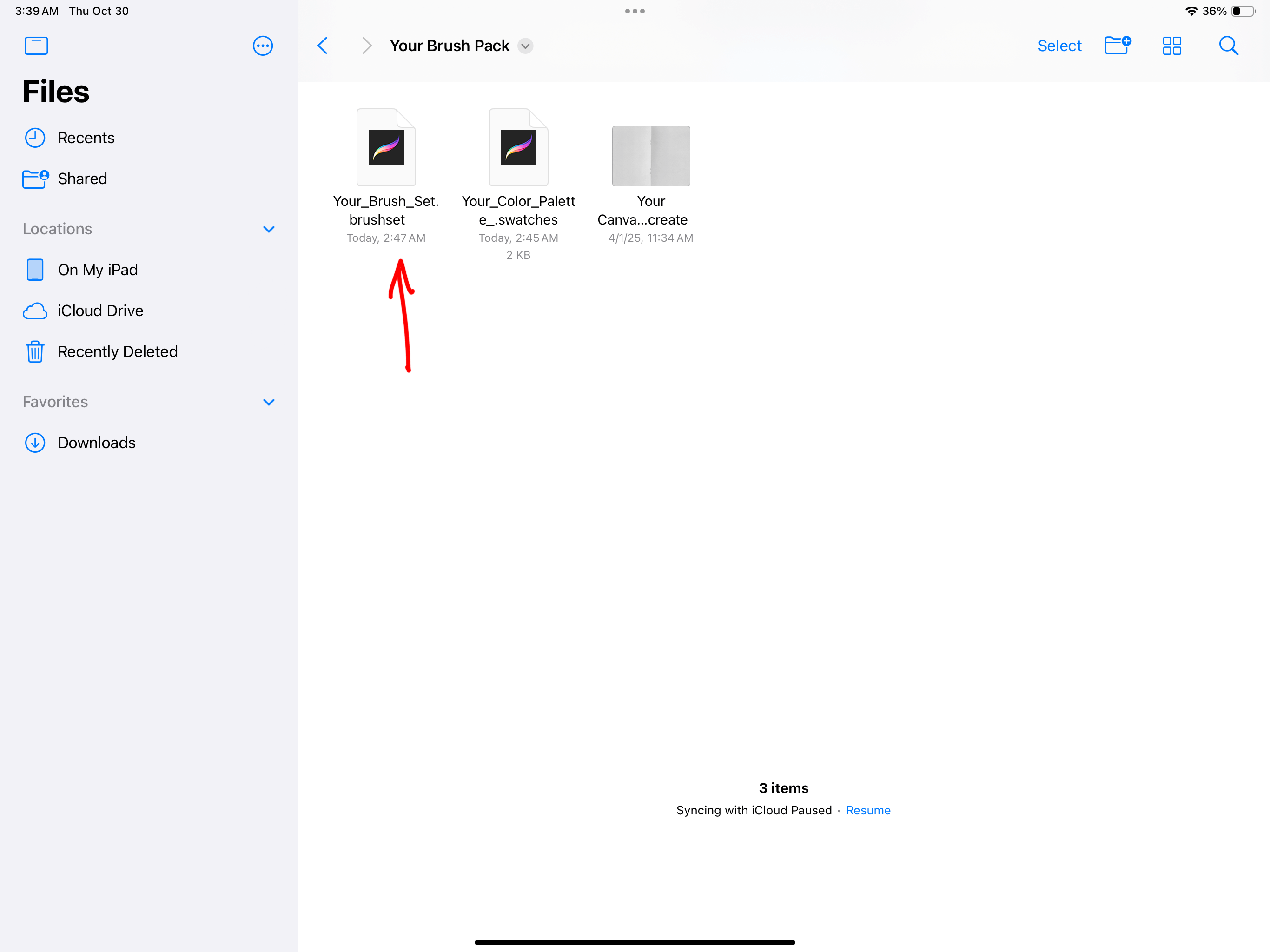
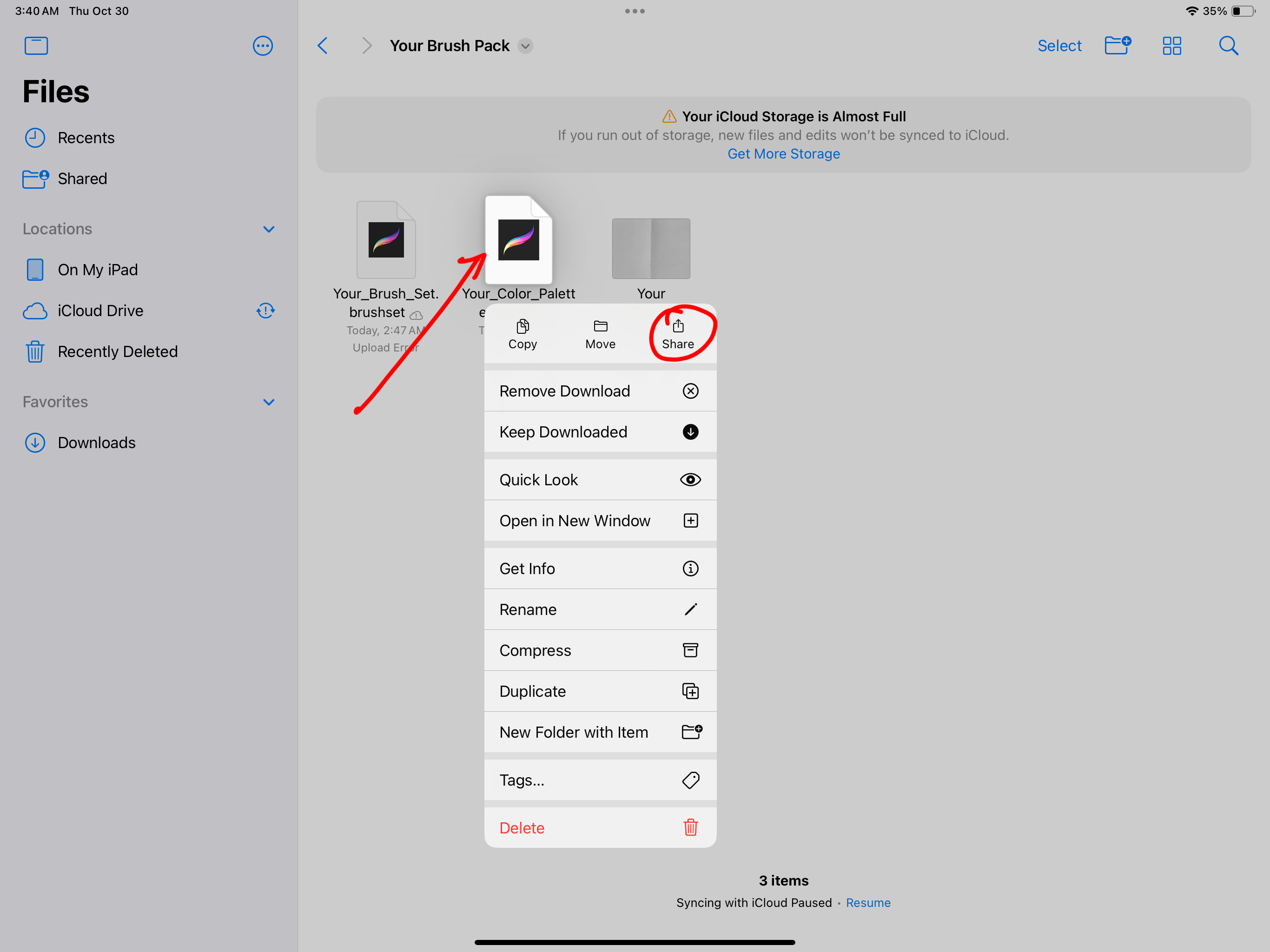
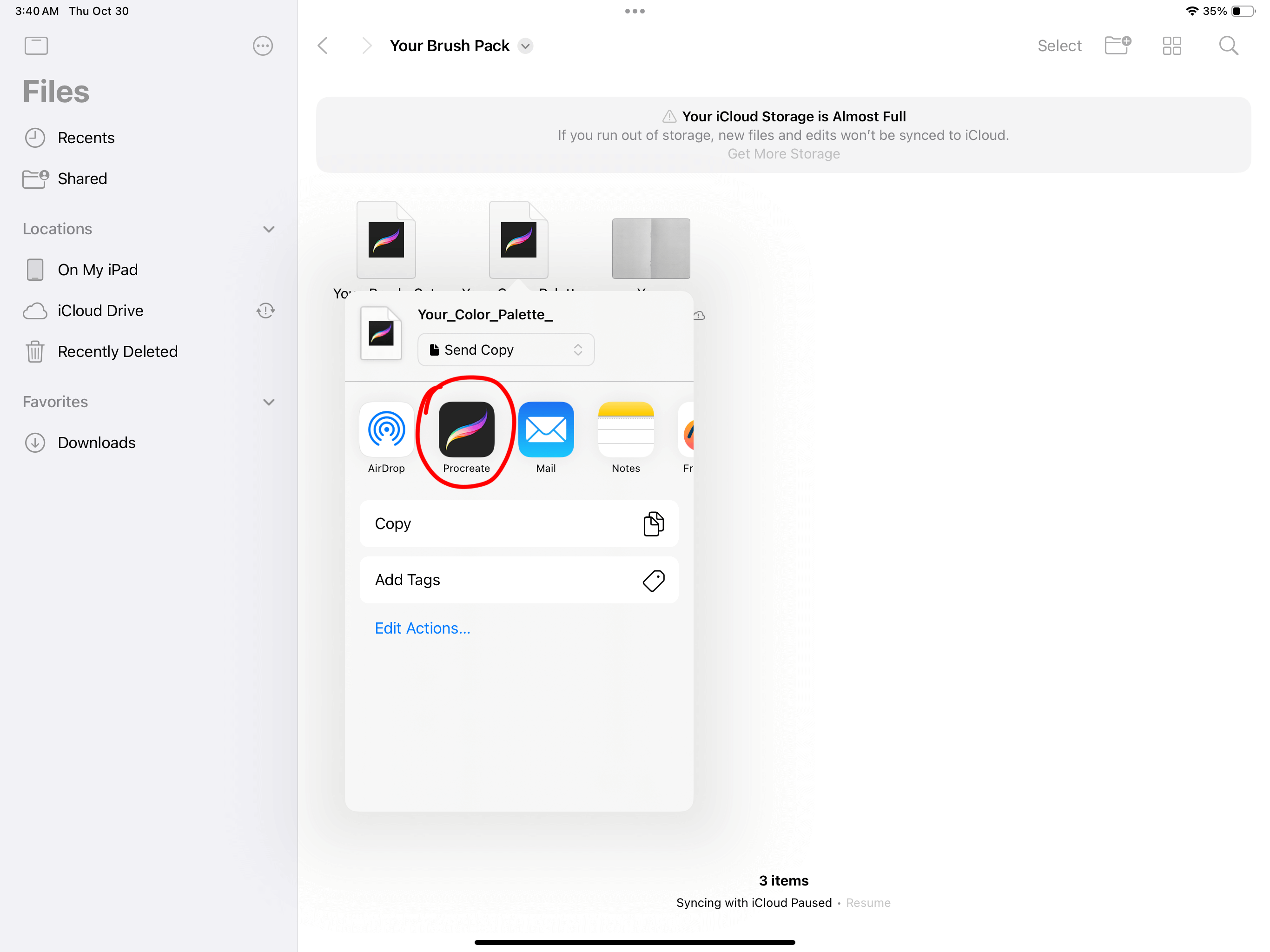
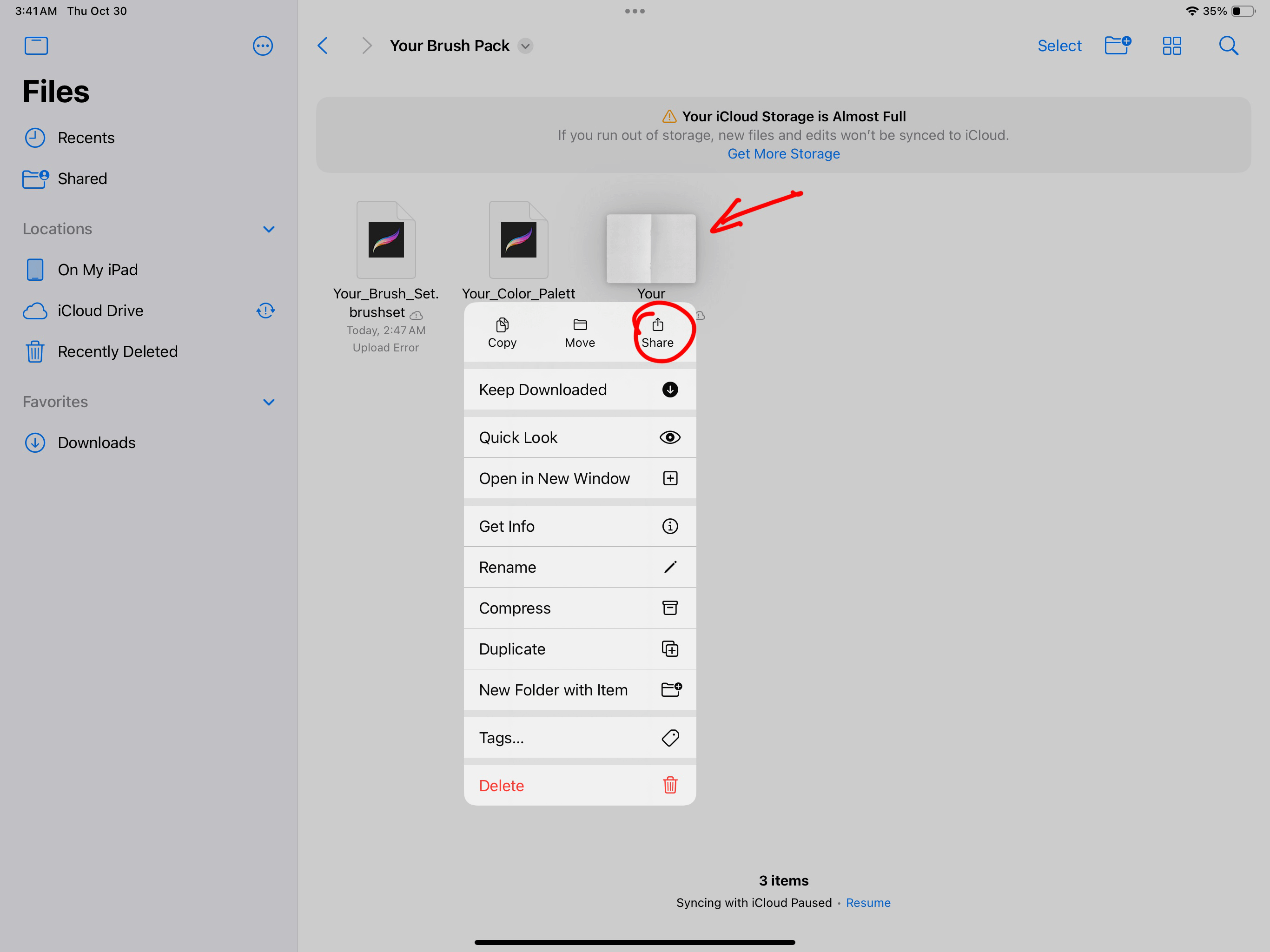
To load the files into Procreate, simply tap on each file and it will automatically open in Procreate. If this does not work, click on the file, select the Share icon,
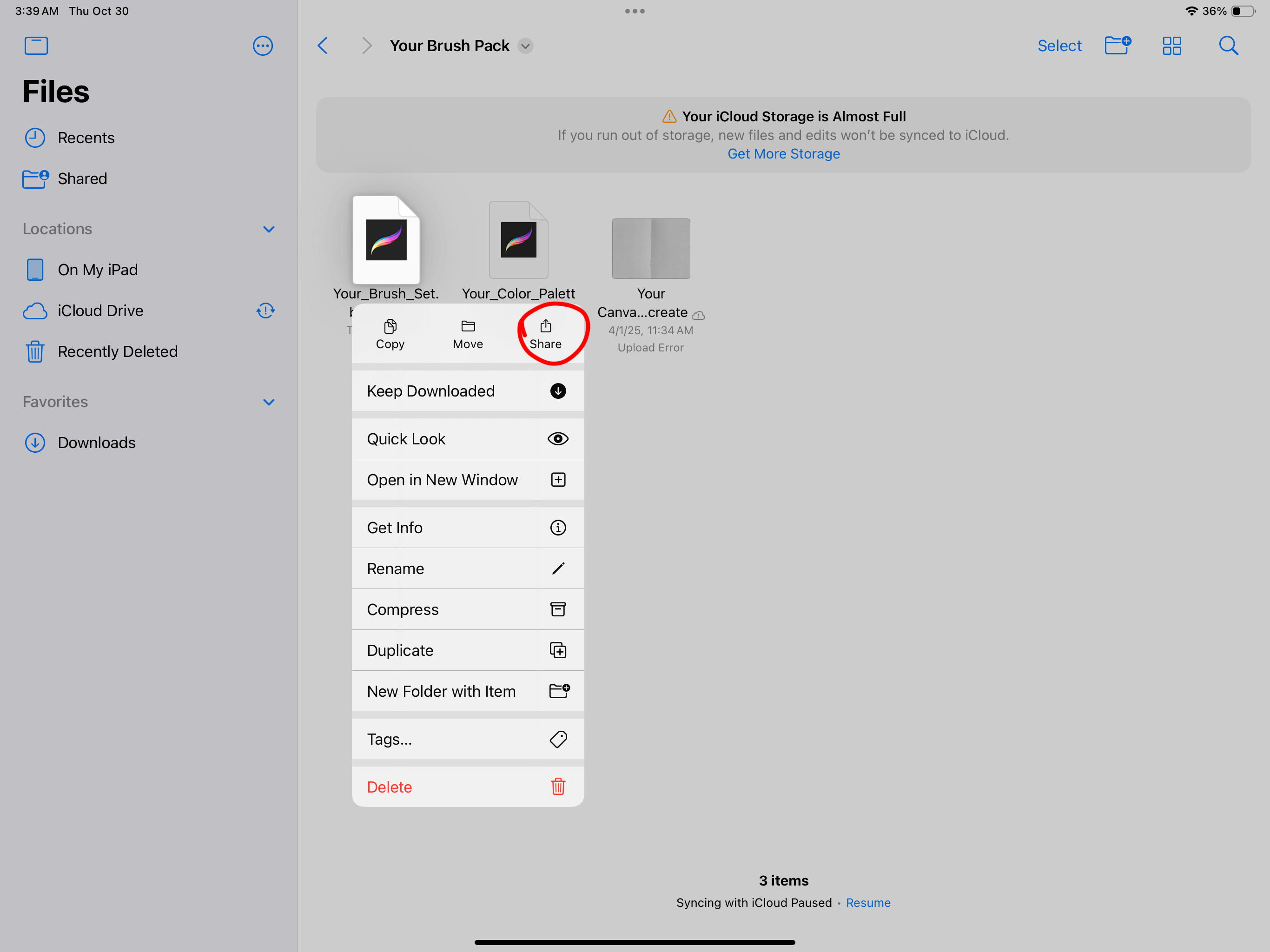
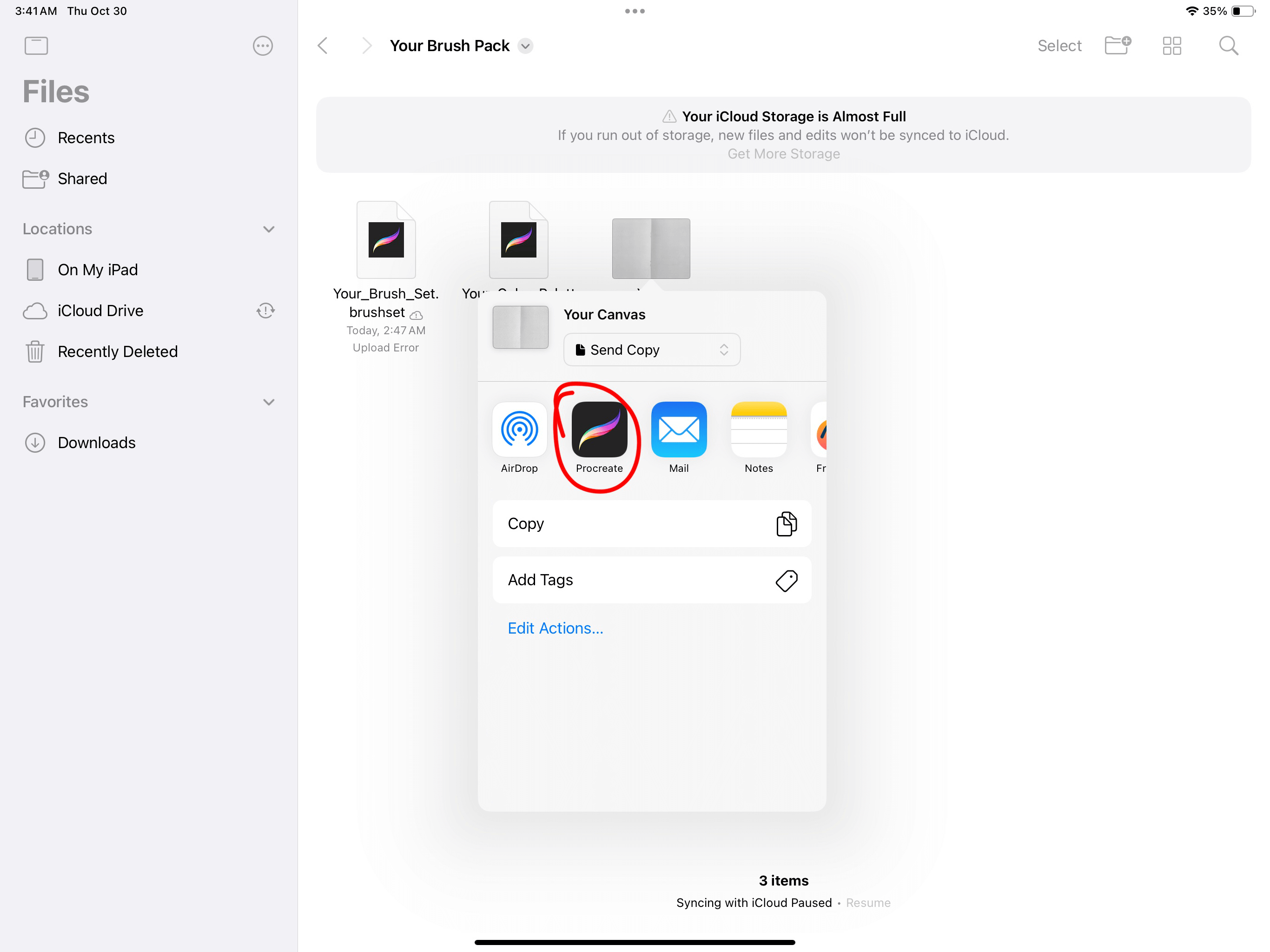
Then select the Procreate icon
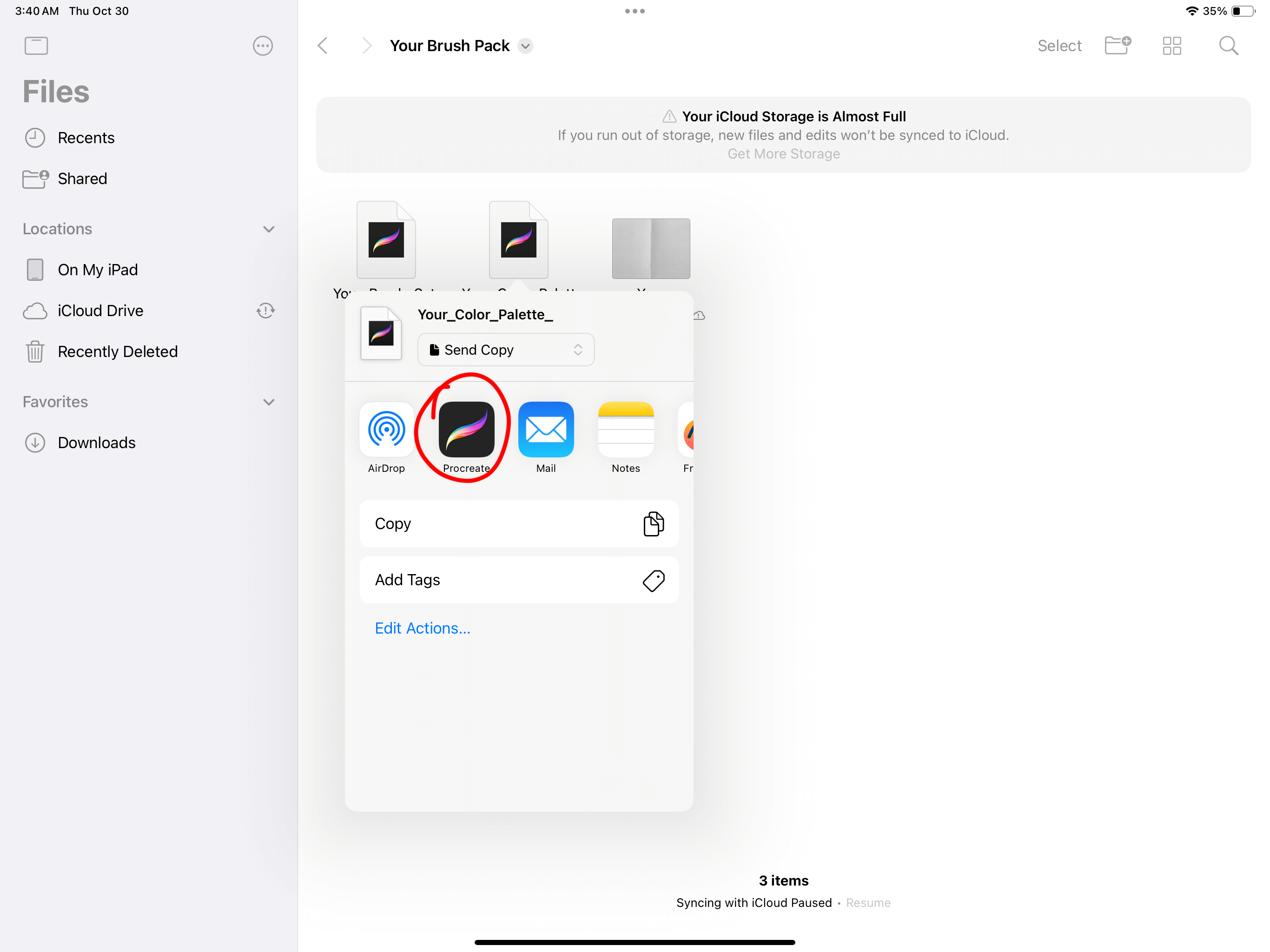
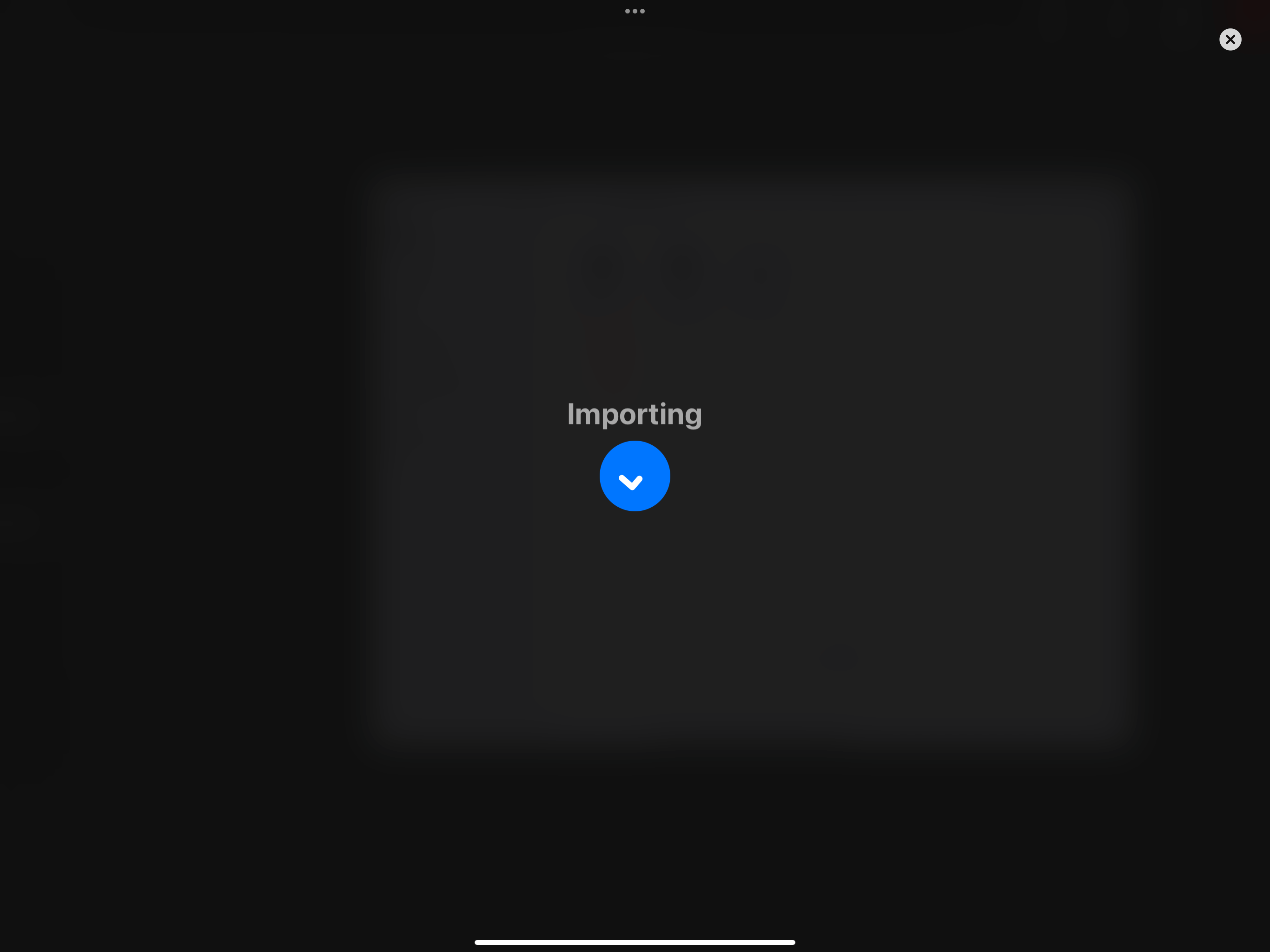
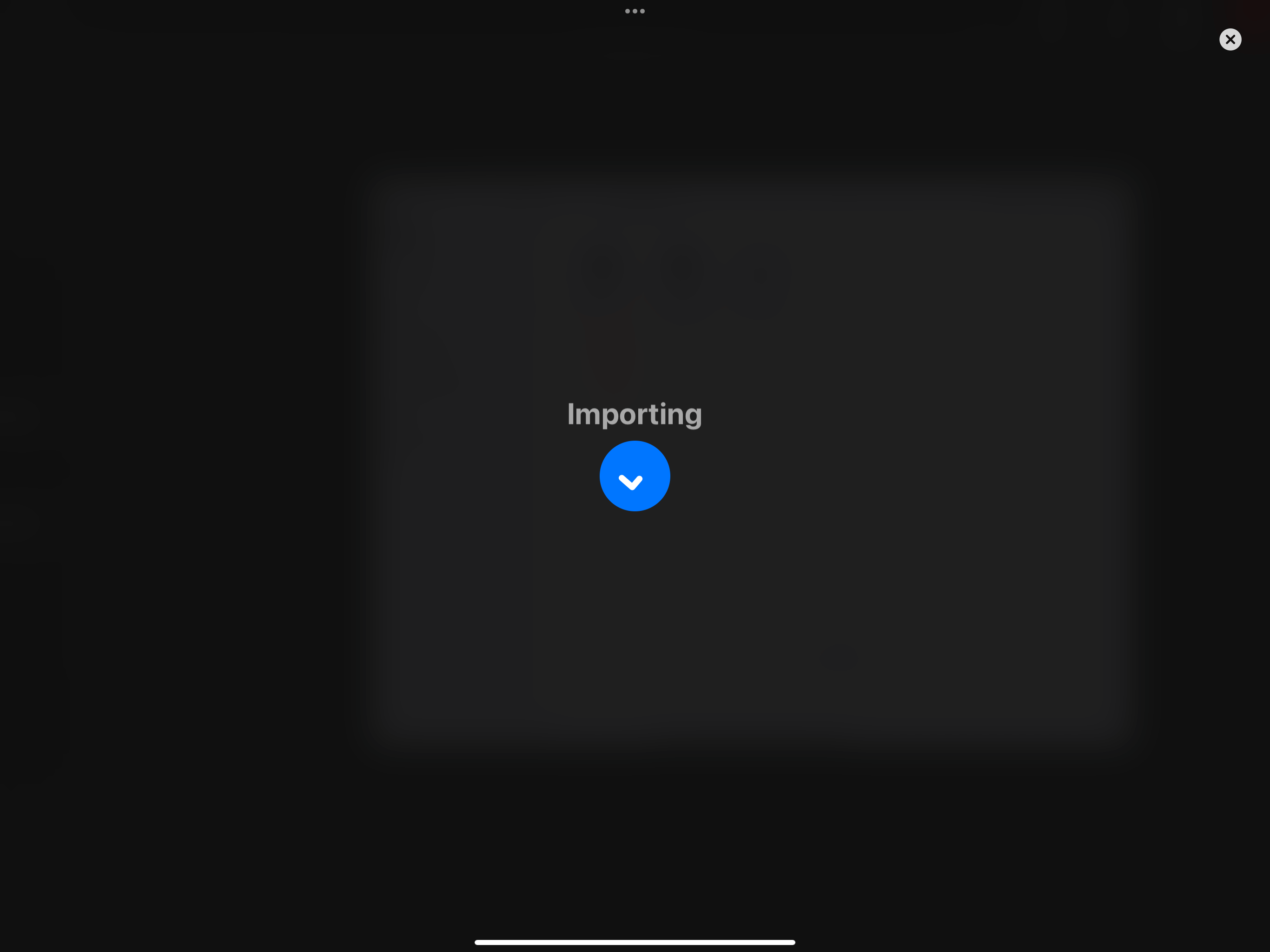
And the file will be opened in Procreate
After downloading, the new brushes will appear in the Brush Library at the top
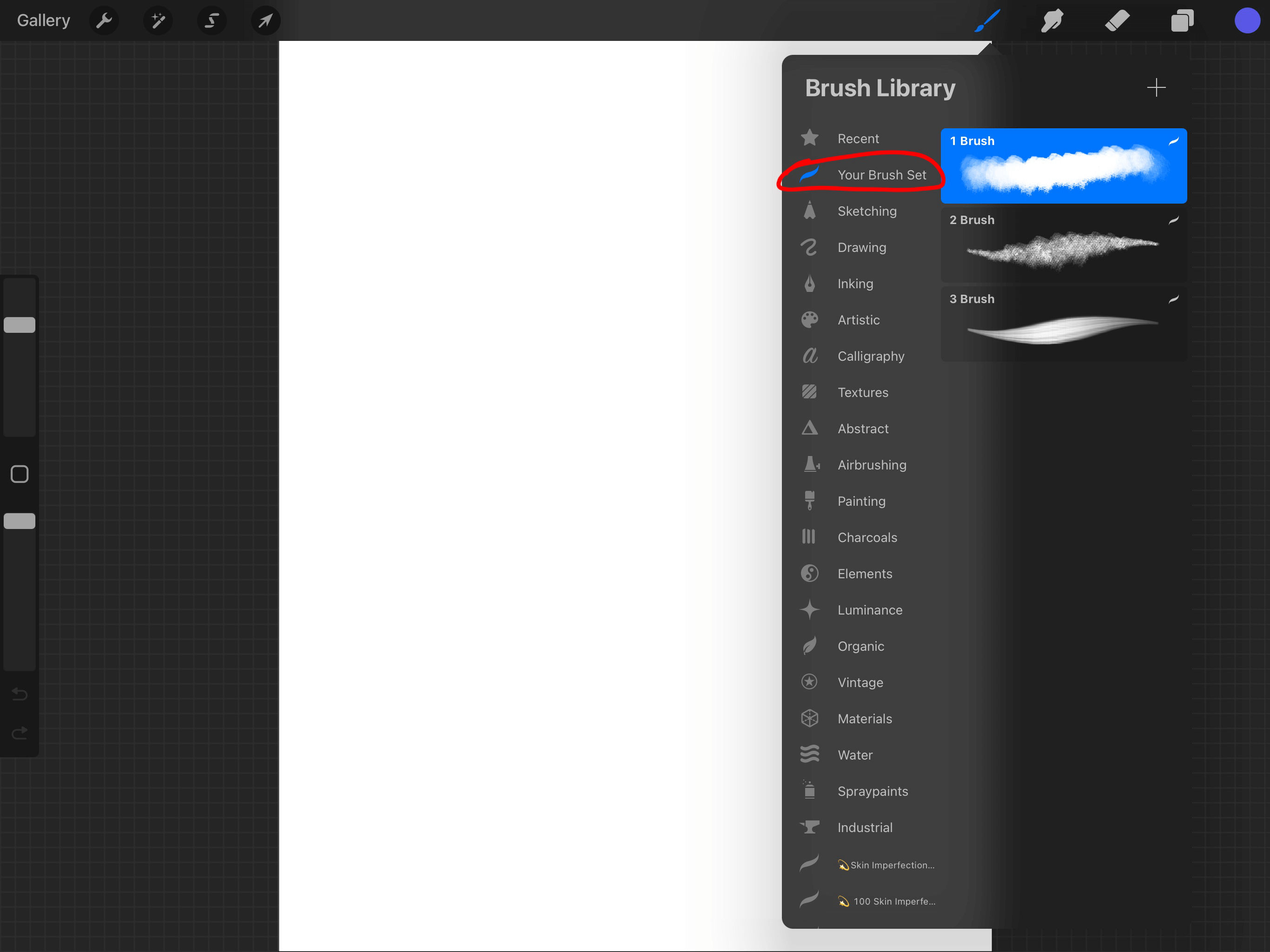
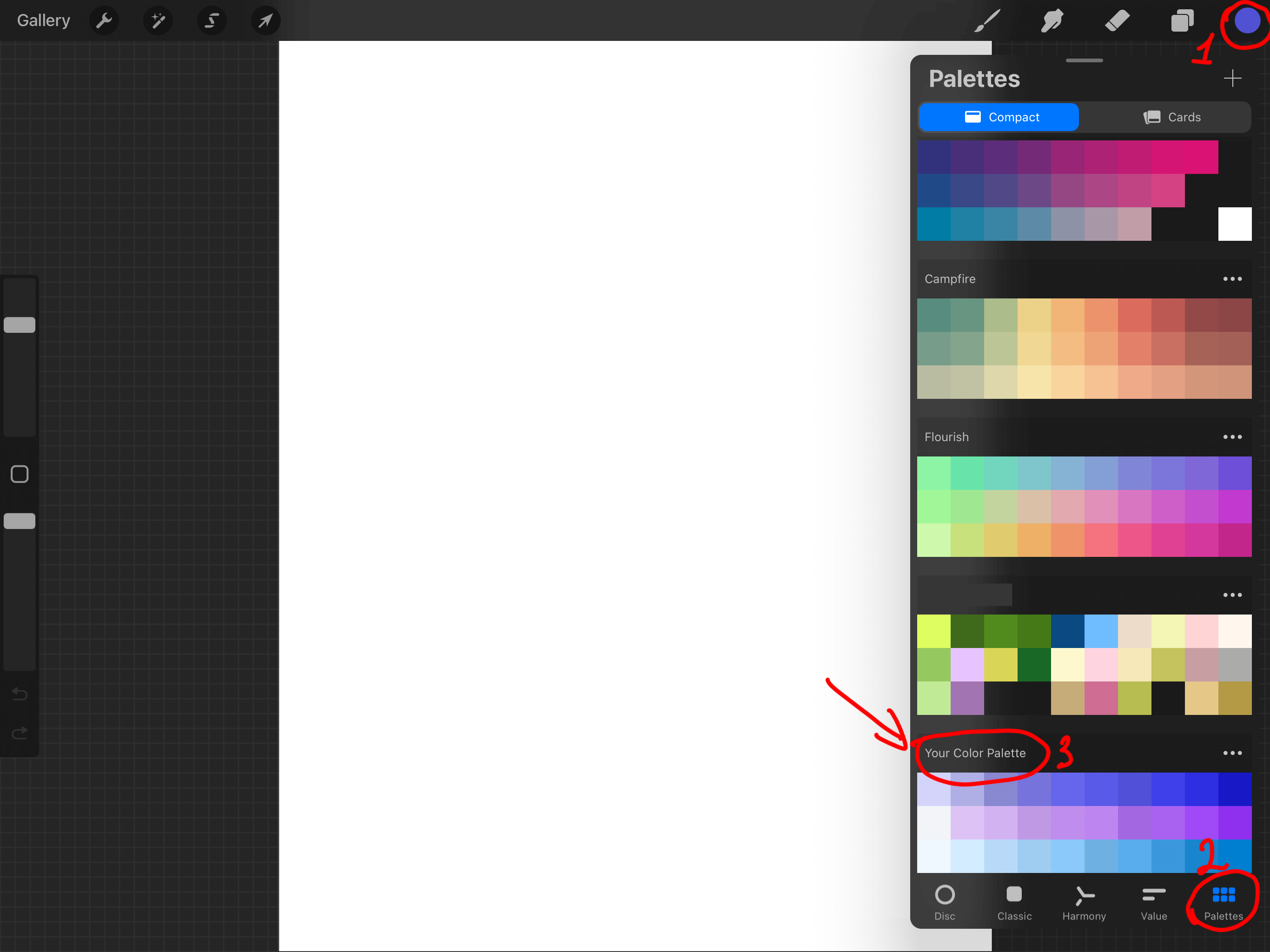
You can also download a color palette in the same way.
After downloading, the new color palette will appear in the Palettes section at the very bottom.
You can download canvases in the same way
After downloading, the canvas will appear in the Work Gallery as a new project
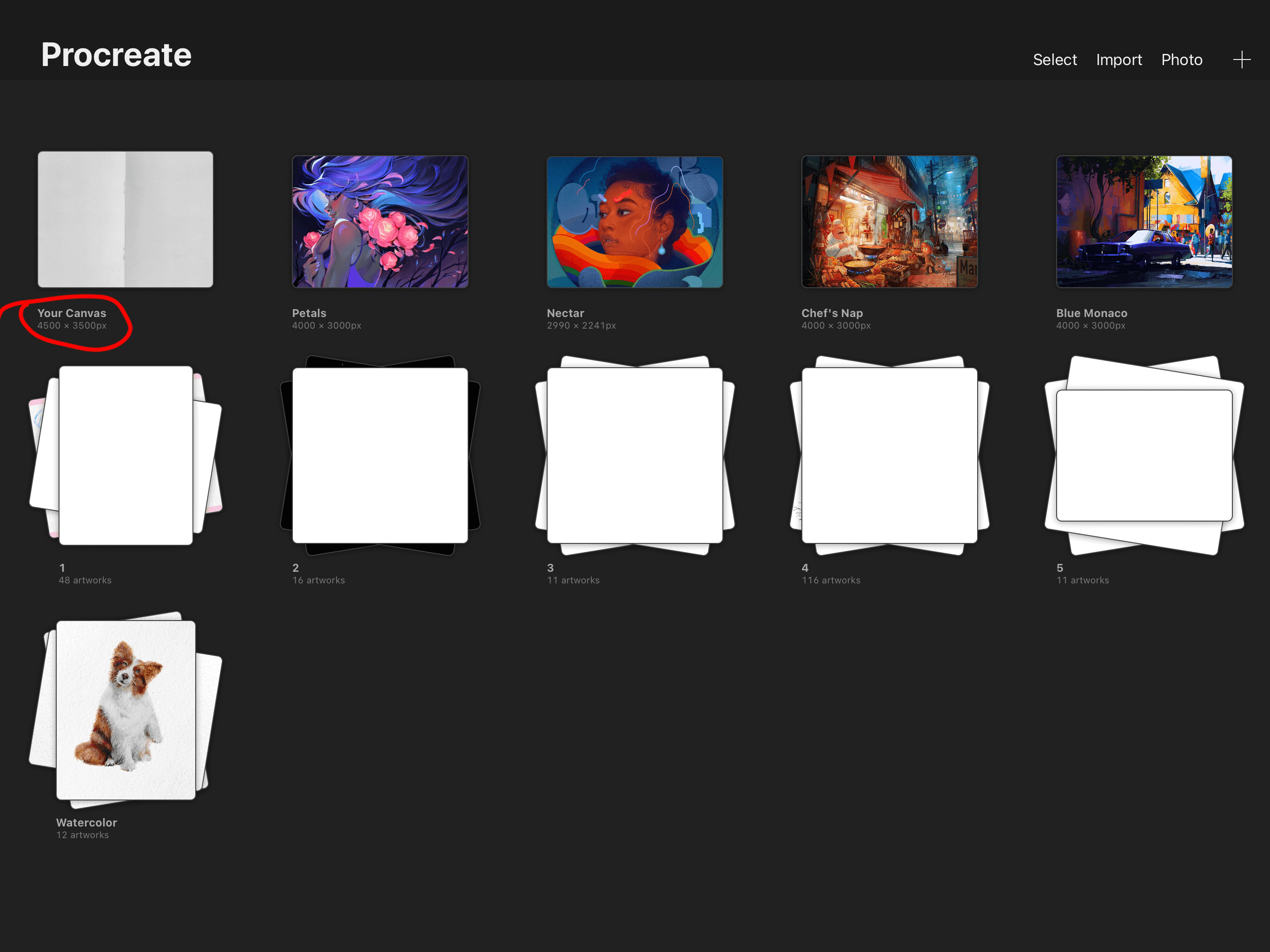
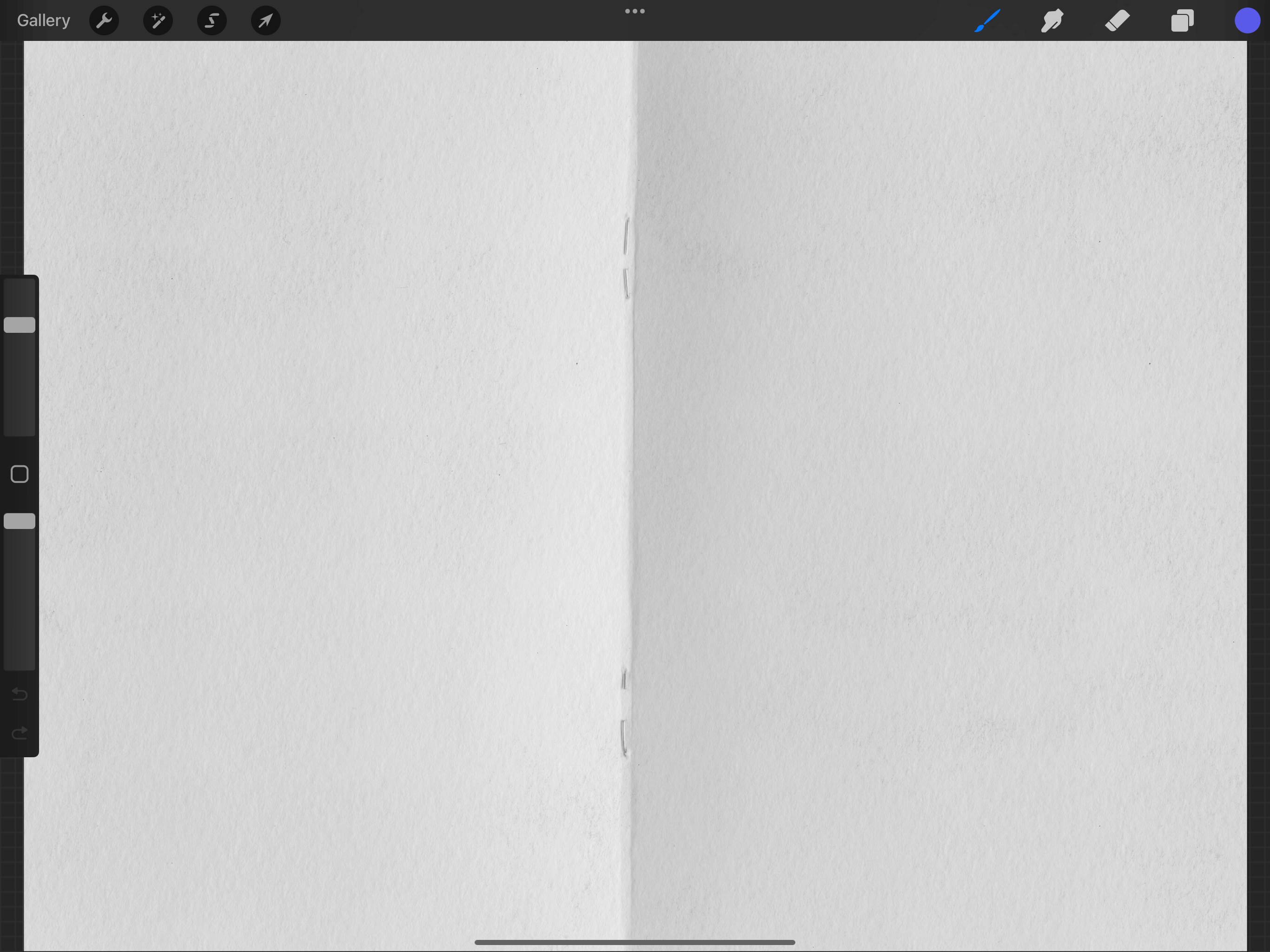
If you don't see the downloaded brushes/palette/canvases, try downloading the files to your device again using the Safari browser.

Clip Studio Paint
There are two ways to install brushes in CSP:
1) After downloading the brush file from your personal account, find the .abr file in the Recents or
Downloads tab on your device. Open Clip Studio Paint. Drag the .abr file into Clip Studio Paint's
sub tool palette.
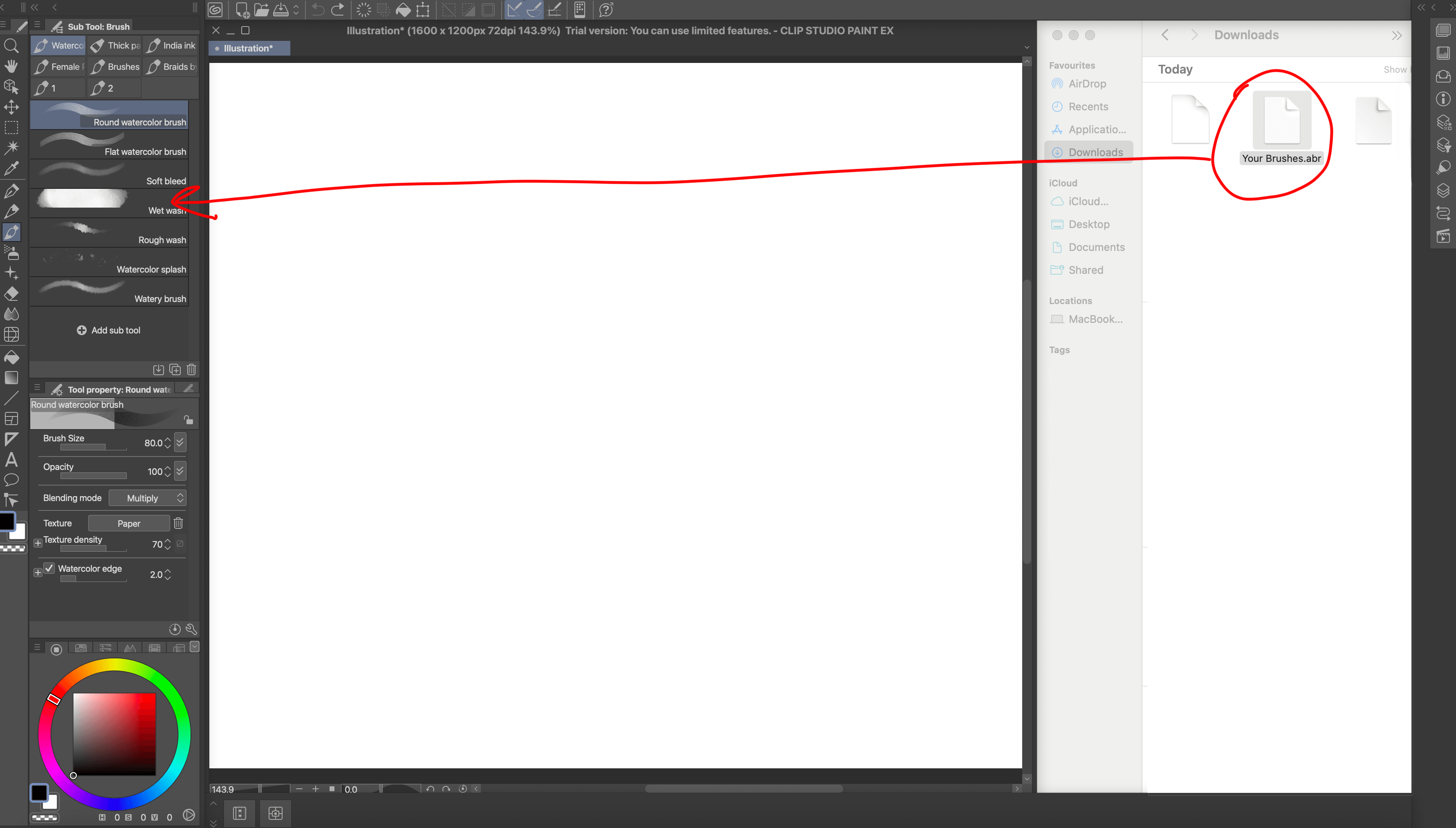
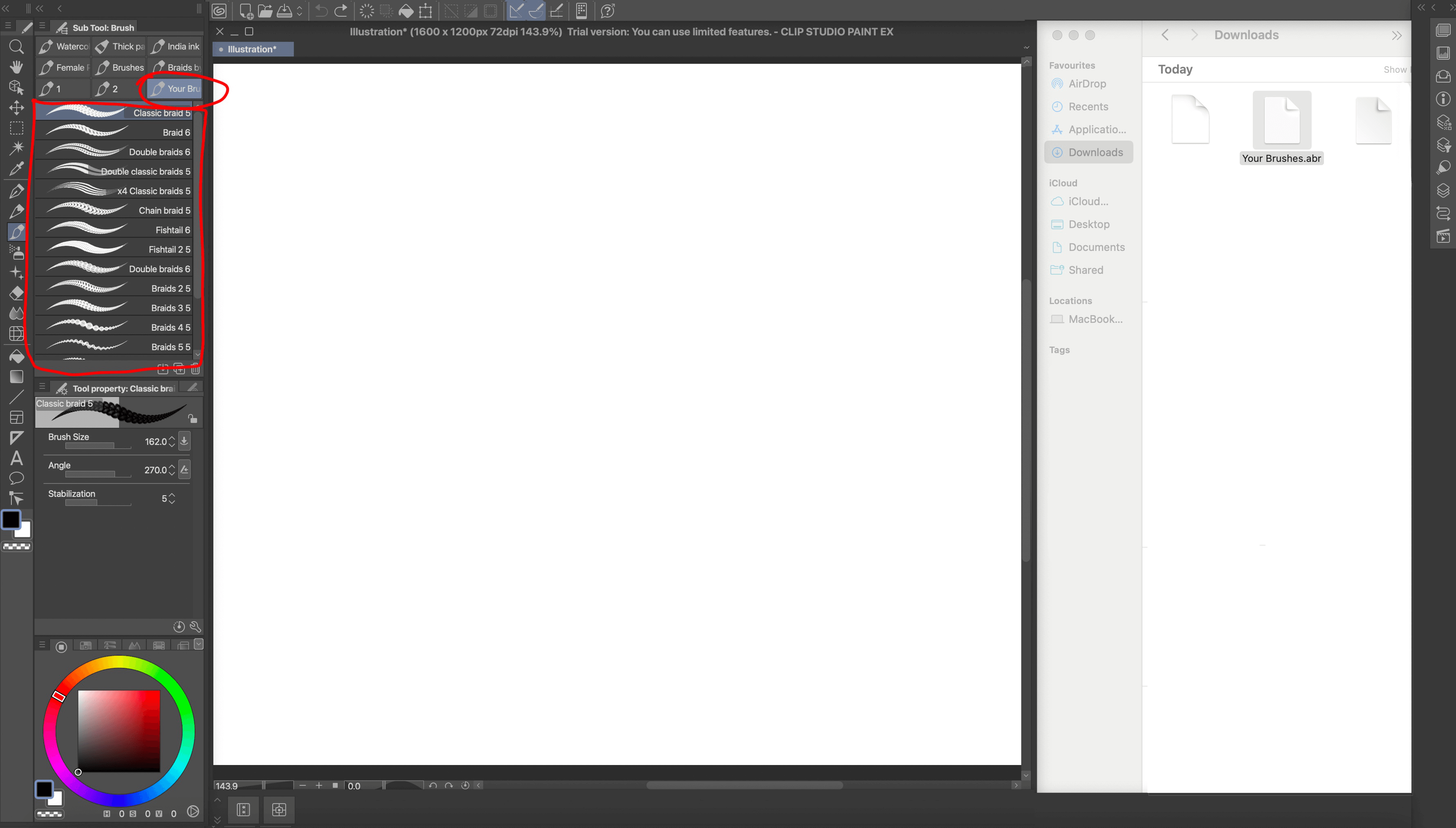
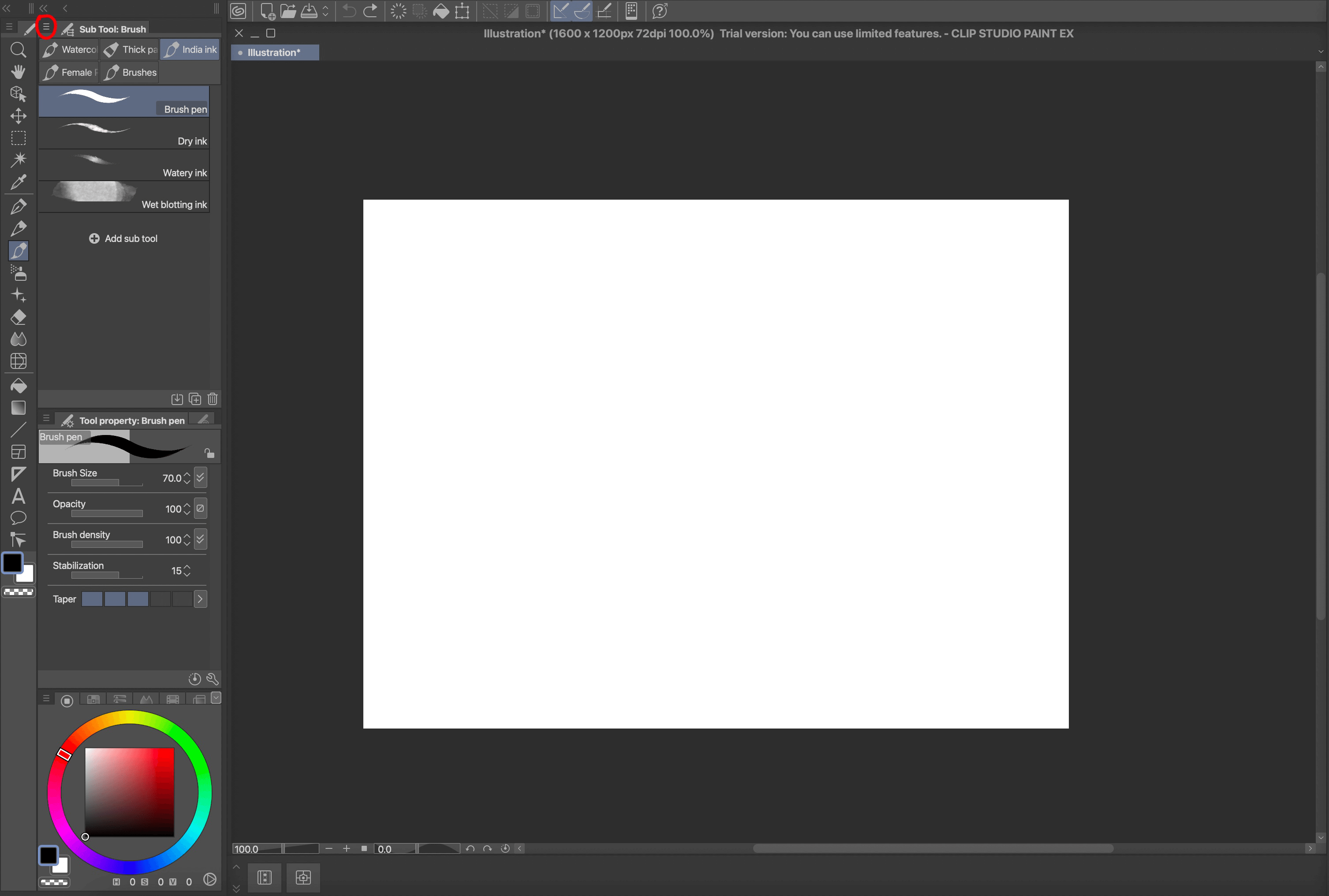
2) On the left panel, click on the icon with three stripes next to Sub tool.
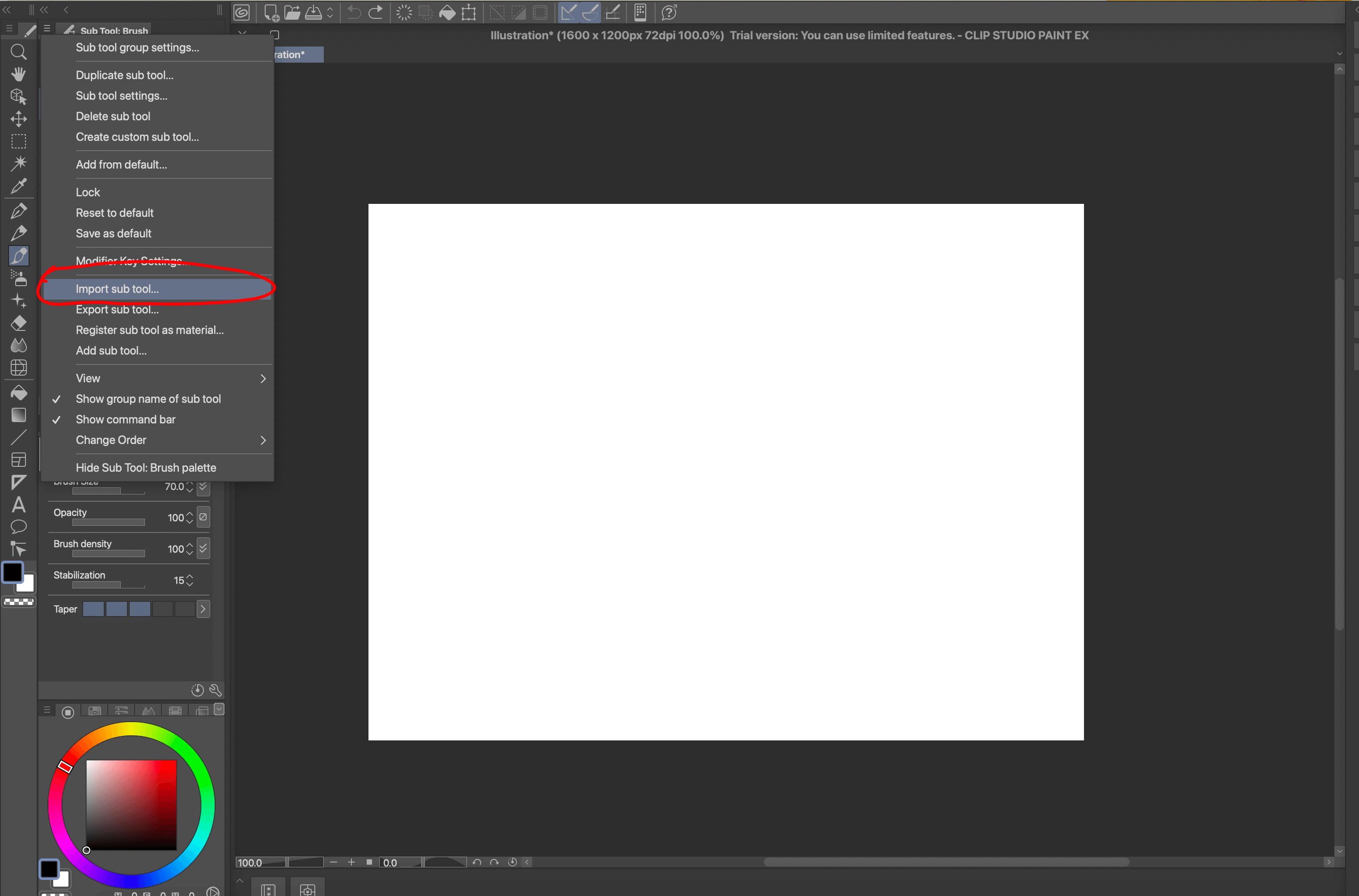
Select Import sub tool
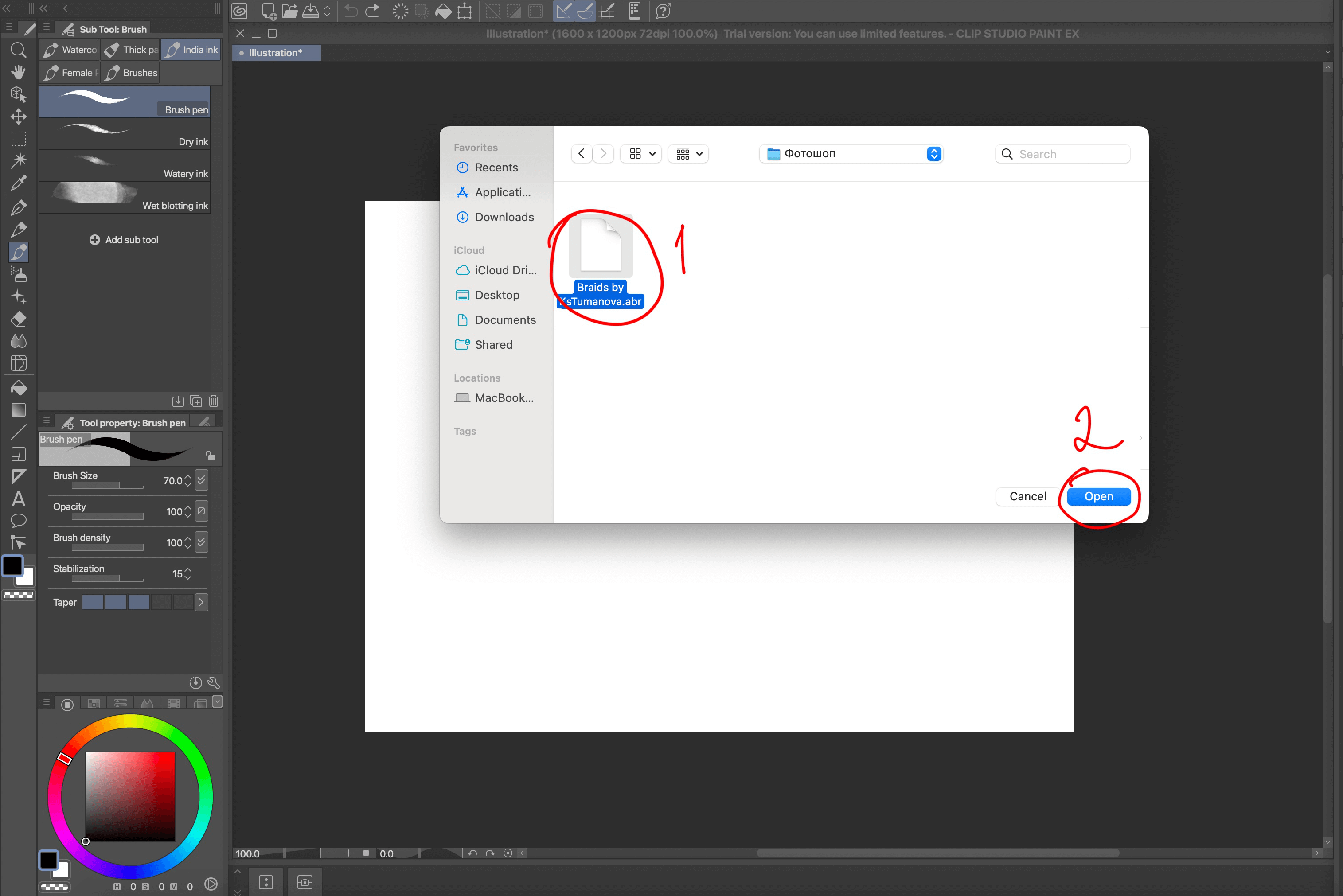
In the pop-up window, select where you saved the .abr brushes. Click on the file and then click Open
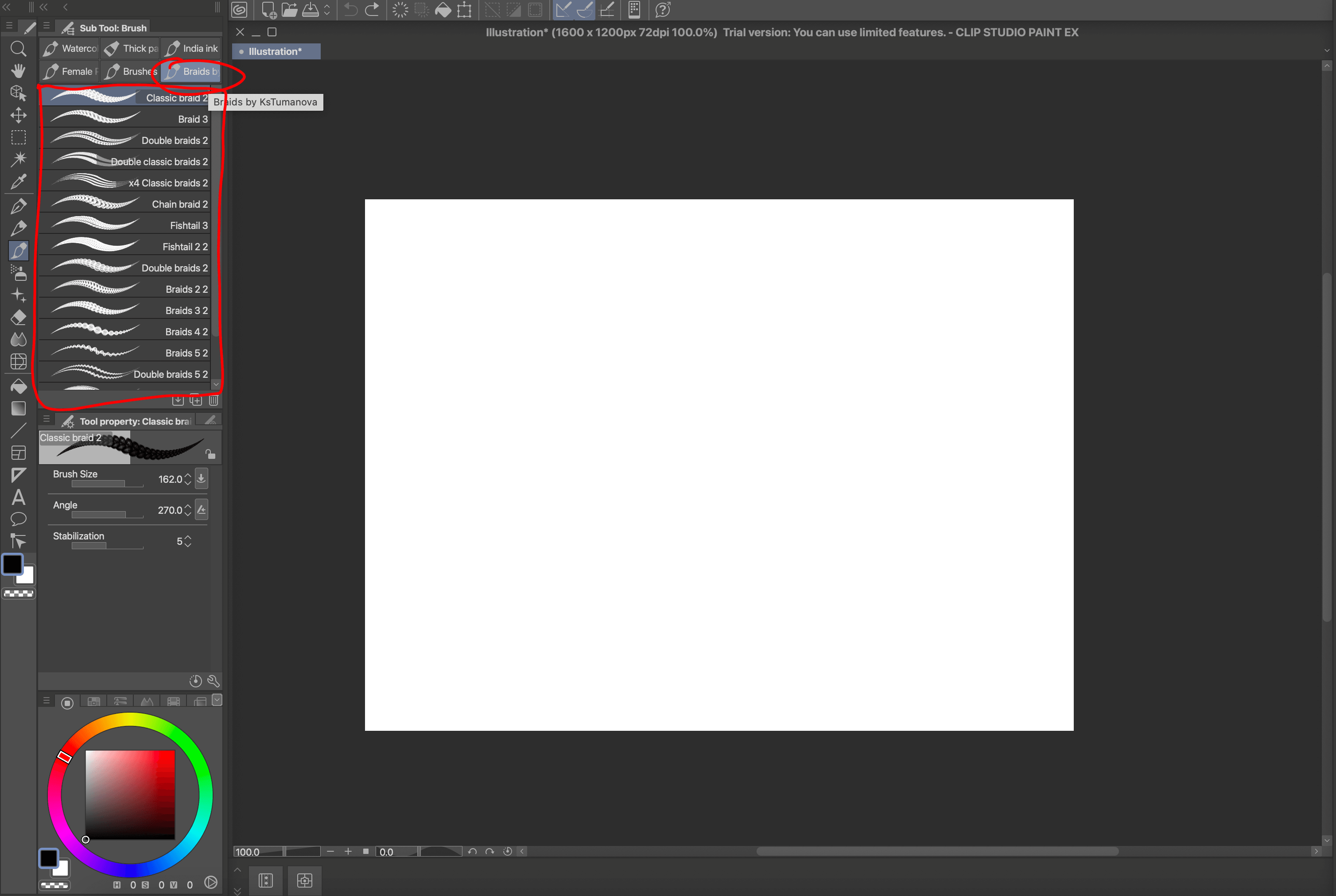
The brushes will be imported and you will see them in the brush panel
Photoshop
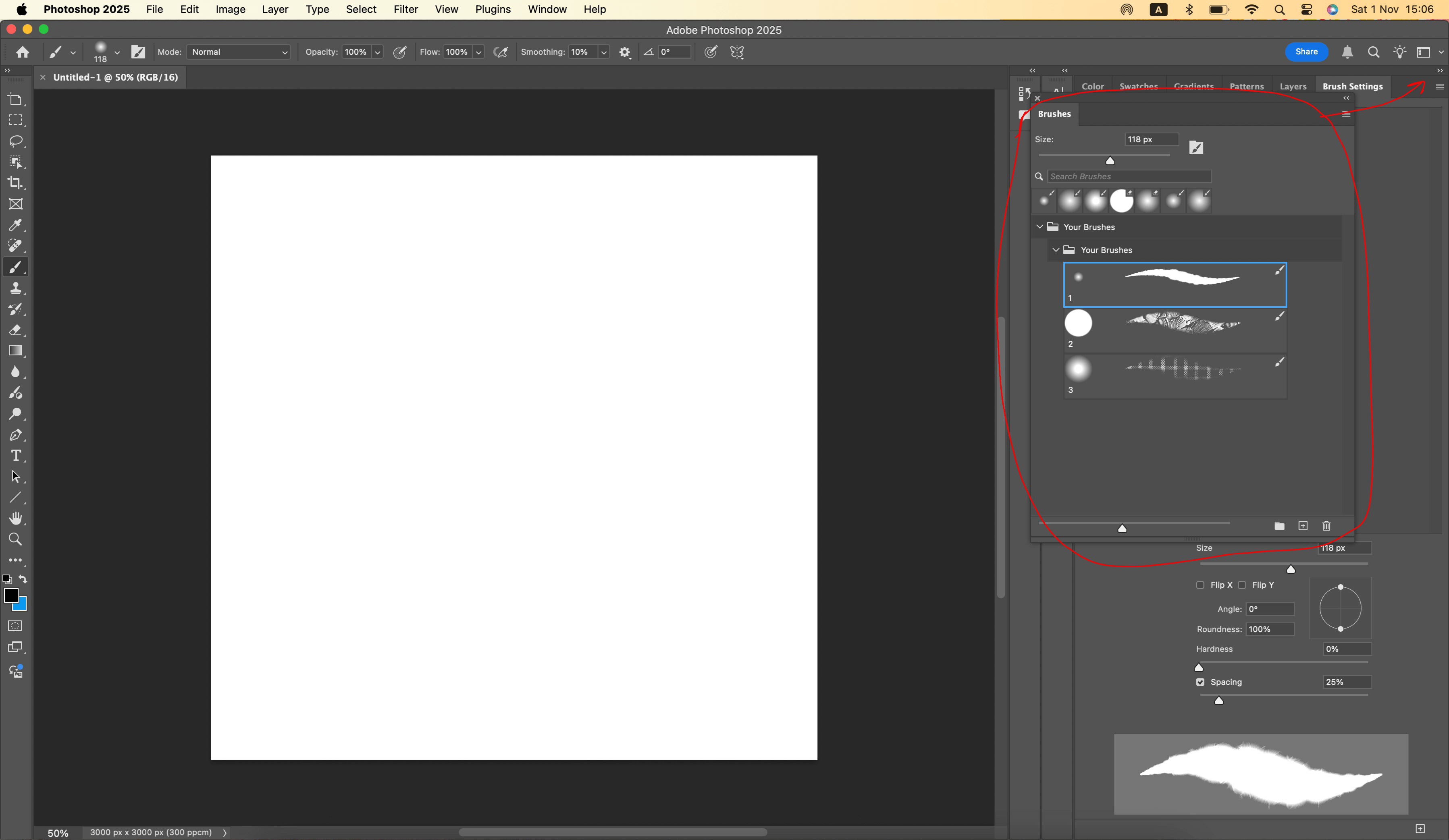
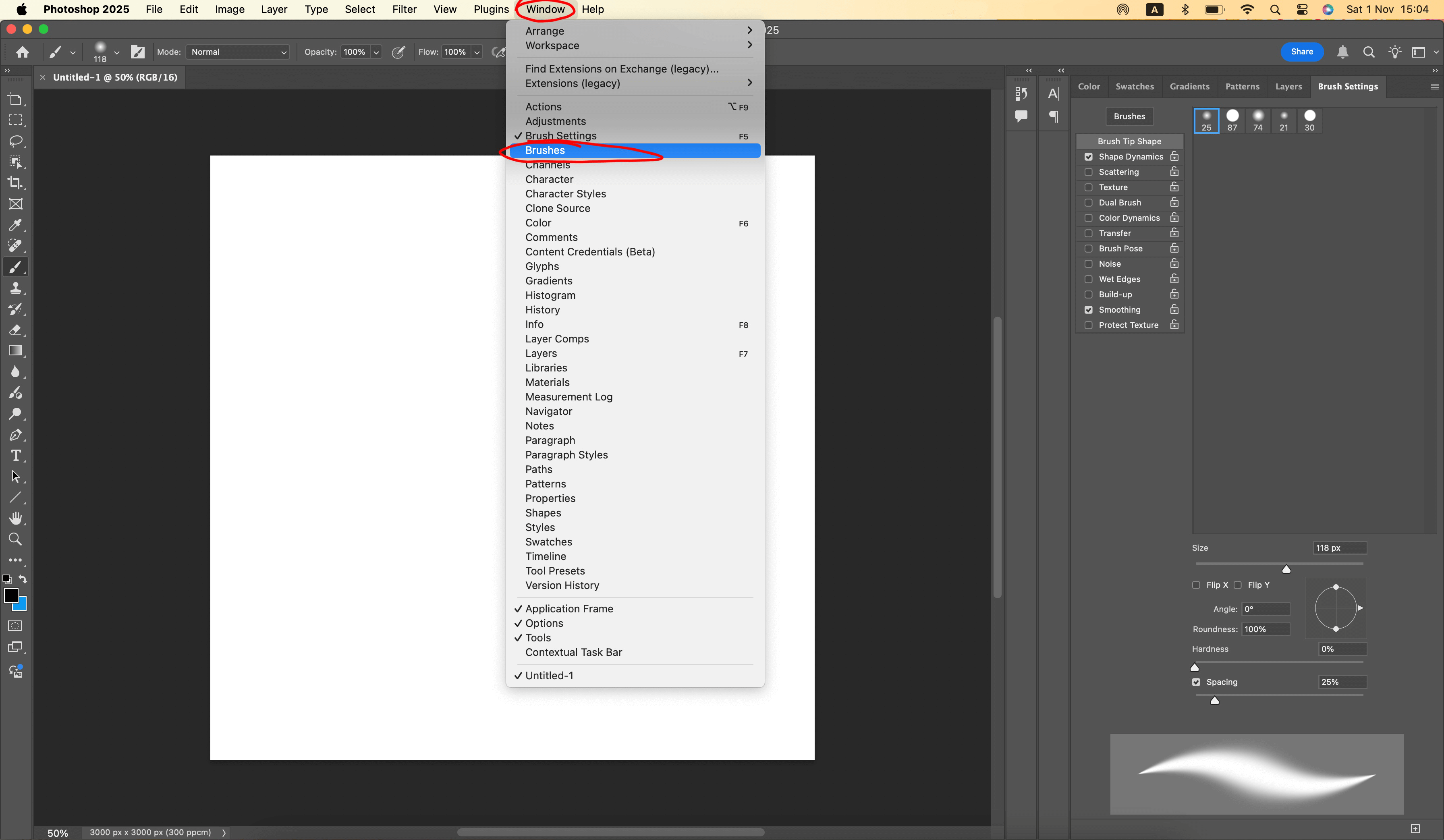
Open Photoshop on your device. If the Brushes window is not in your workspace, open it as follows: in the top bar, find and click Window -> Brushes.
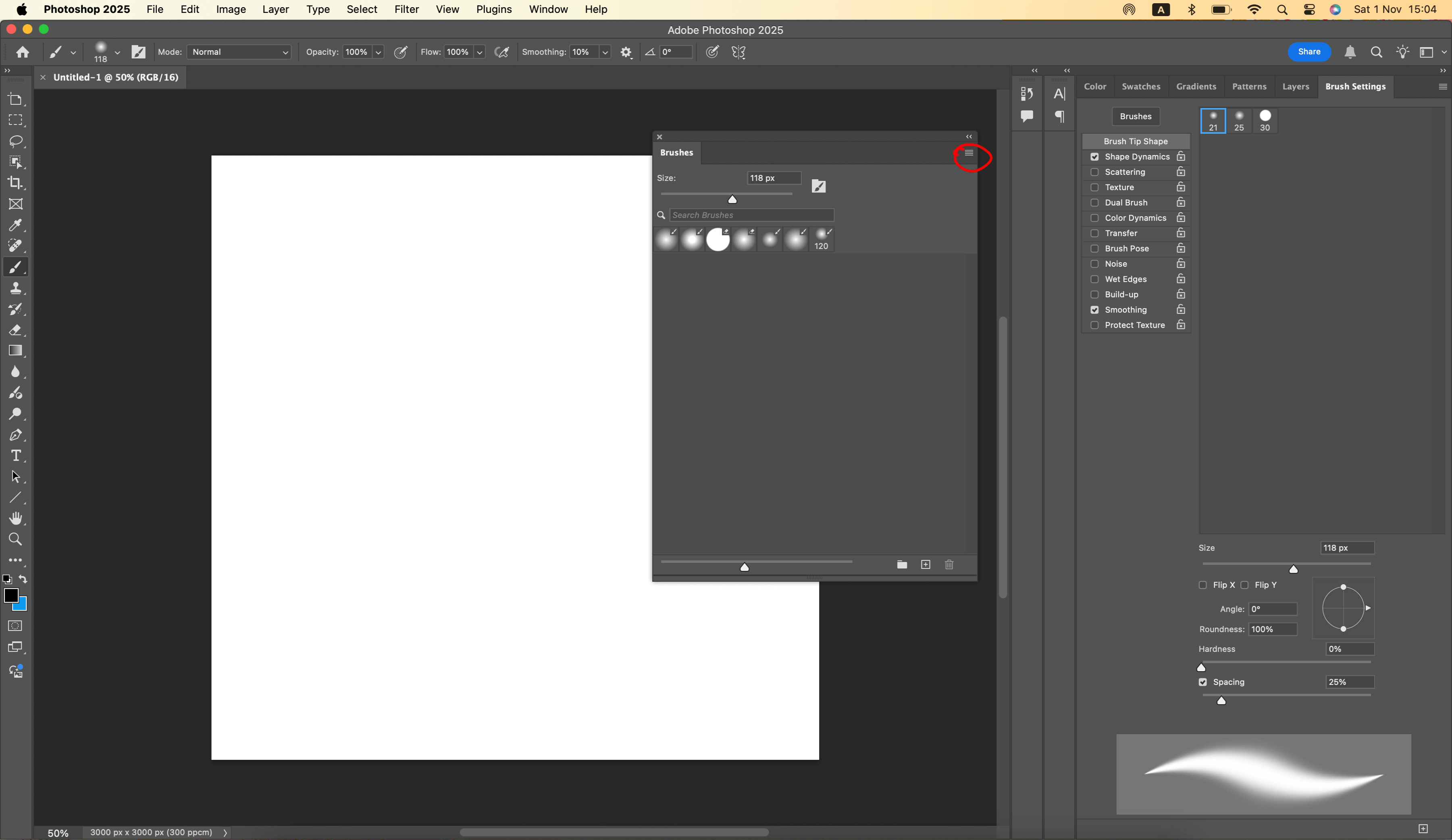
The Brushes window will appear in your workspace. Next to Brushes, click on the icon with stripes,
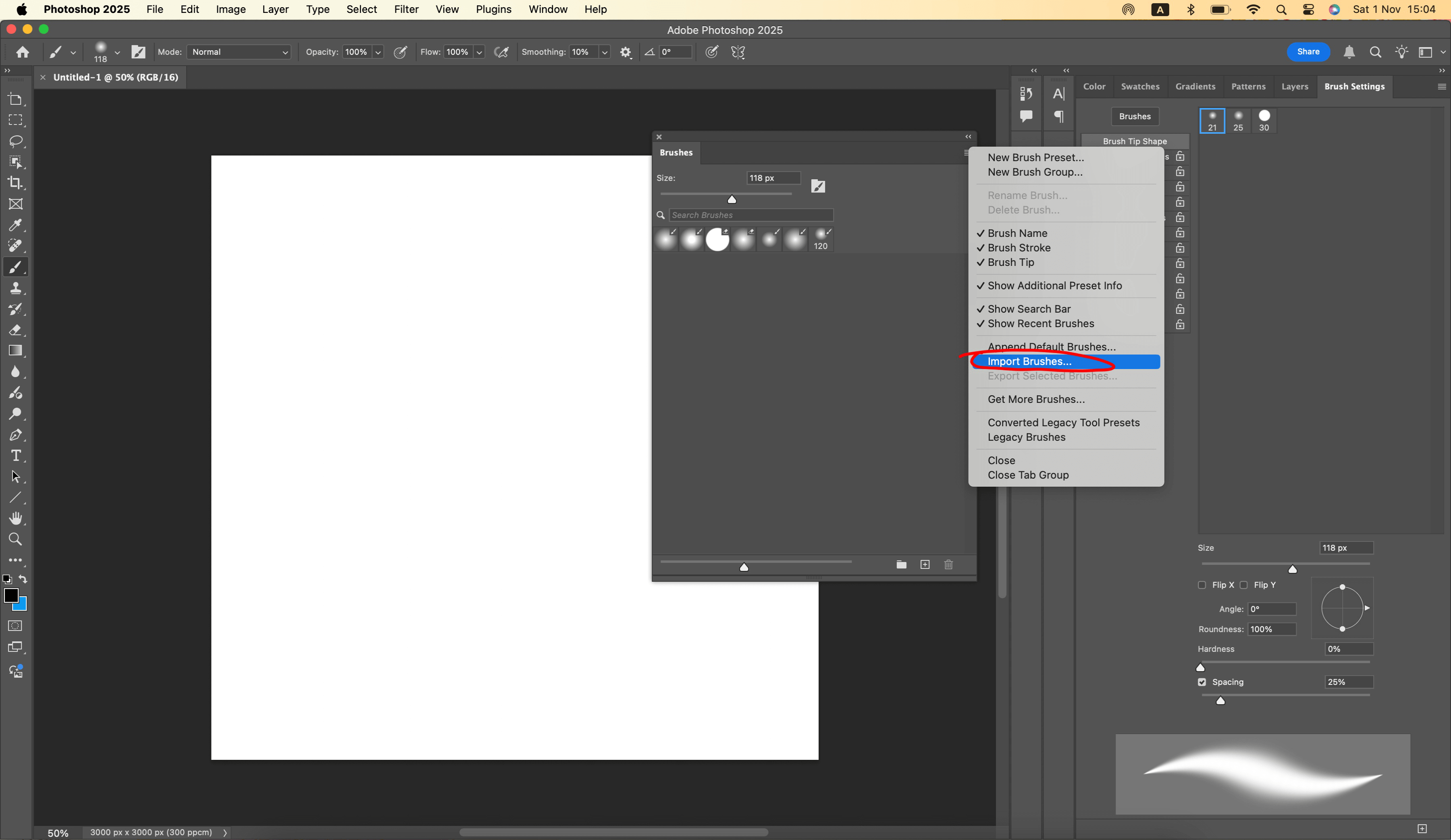
select Import Brushes...
Next, in thepop-up window, find where you saved the brushes (Downloads/Recents/or anotherfolder). Select the file with brushes in .abr format. Click Open.
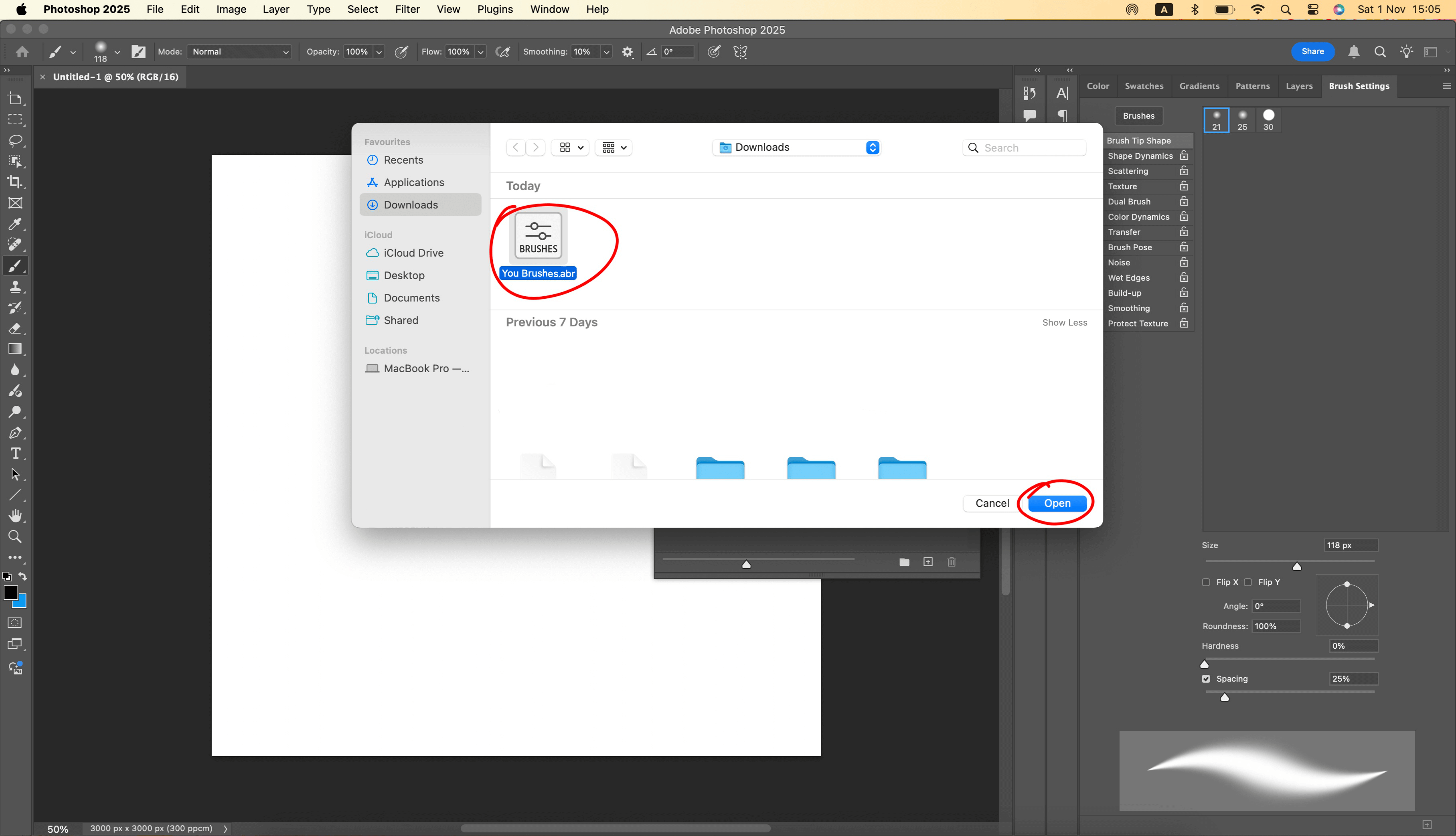
The new brushes will be immediately available in the Brushes window.
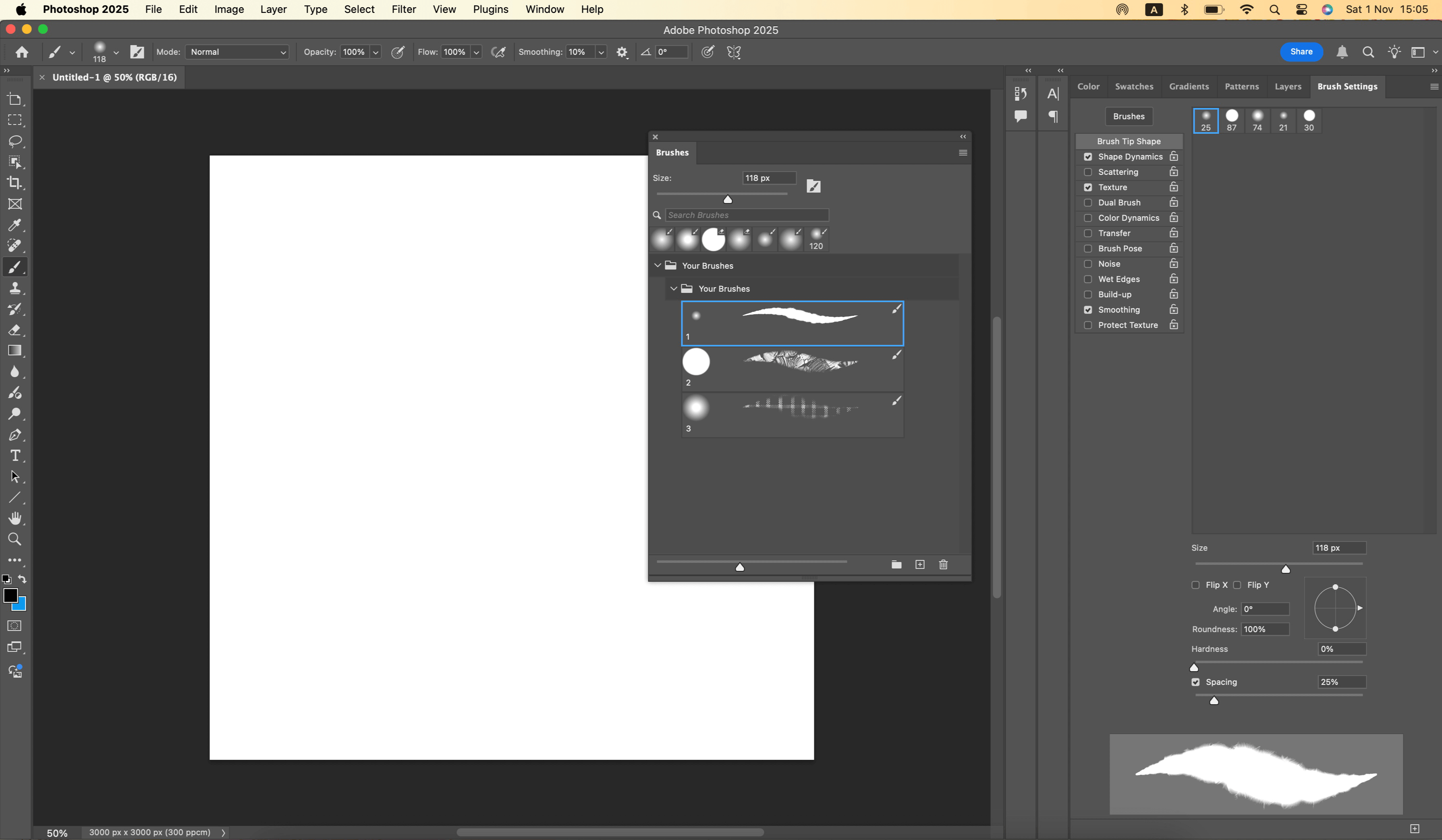
To keep the Brushes window fromgetting in the way of your workspace, you can drag it and pin it to the panel.